Huge Changes
What I've been up to
Let’s start by restating the goal: create a best-in-class, open-source tool for what I see as the next evolution of the MSP business. Before I get into what we’ve built, I need to paint the picture as I see it.
The MSP Journey
Here’s a rough timeline of what shaped our industry:
- We like fixing computers, so a lot of us started charging for it. We call this breakfix.
- ConnectWise created a first-of-its-kind PSA that actually made running an IT business across multiple customers work.
- LabTech came along and solved automation and maintenance at scale. This was huge.
- Remote access became standard. No more driving to every client site for everything.
- SBS let us shove Enterprise-in-a-trenchcoat into customer closets.
- BPOS saved us from Exchange. Then Office 365 saved us from BPOS.
- Cloud was supposed to put us out of business, but instead it just made everything more complicated, expensive, and spooky. Of course it did.
- The MSP market got saturated, which widened the gap between bad MSPs and good ones. Good news for some of us.
- Peak enshitification and commoditization. You are here-ish.
I’m not going to lie. The first half of this year had me really worried. AI and the broader industry shifts had me convinced something was leaving me behind at a time when customers have never seen us as more of a cost center. And frankly, they’re giving up too. We had more customer acquisitions in the last two years than in any stretch of the prior 16. Even automation felt like it was being taken away from me. Working on this project started to feel like a waste of time.
Then I had a realization.
The Opportunity
Here’s what clicked:
This is the first time in a while that customers actually want new technical things and see them as valuable. It reminds me of the early cloud days. People said “it’s just someone else’s computer” back then. They’re saying similar things about AI now, and it’s our job to cut through the noise of annoying AI chatbots and find the real use-cases.
But here’s the critical thing: we can see this industry shift coming, and for the first time, we have the tools to build the infrastructure that will run this part of the business BEFORE venture capital creates the standard and traps us.
Think about what happened with RMM, PSA, and everything else. Someone else built the platform. Someone else set the terms. We became the customers instead of the builders.
Why We Can Actually Do This
Here’s what makes this different:
We have everything we need:
- The trusted relationship with customers
- We’re already who they come to for help
- We already automate our own stuff - we have this skill internally
- AI makes it easier for us to develop and own (as a community) the stuff we need to run our business
- AI lowers the cost barrier - we can now develop and maintain automations for customers who couldn’t afford custom development before
The only thing that’s been missing is the infrastructure.
The reason we haven’t been doing custom automation for customers isn’t because we can’t. It’s because it’s impossible to scale. Development is expensive. Most customers couldn’t afford it. And even if they could, we had:
- Differing codebases at different legacy layers
- No centralized monitoring
- Difficult sharing of functionality across customers
- No centralized boilerplate for logging, config management, storage, authorization
Sound familiar? It’s the same thing that made scaling computer services hard before centralized RMM, automation, and AV platforms existed.
Enter Bifrost
Bifrost is that missing piece. It’s the “RMM” for Integration-as-a-Service.
It’s multi-tenant infrastructure that lets us:
- Build automations once, deploy across customers
- Centralize monitoring and management
- Share functionality without rebuilding for each customer
- Handle all the boilerplate (auth, logging, config, storage) in one place
And because AI has lowered the development cost, we can now offer custom integrations to customers who were previously priced out. The efficiency compounds:
- Cheaper to build
- Faster to deploy
- Easier to maintain
- Shared infrastructure costs
- Community-driven improvements
This isn’t about becoming software developers. It’s about having the platform infrastructure to do what we’ve always done - integrate systems for customers - without getting trapped by vendor lock-in or drowning in deployment complexity.
The Technical Pivot
When I started Bifrost, I went the Azure Functions route. Seemed like a good idea - serverless automation platform for MSPs. But after working through it, I realized we weren’t building a function runner. We were building platform infrastructure, and Azure Functions wasn’t designed for that.
The problems were concrete:
- Deployment was a nightmare. GitHub Actions workflows, ARM templates that didn’t quite work, separate repos. It was fine but annoying, and annoying scales poorly.
- Azure Functions’ Python runtime isn’t very observable. Functions would disappear without a way to debug what went wrong. Compared to Docker where all your logs are right there, it was untenable.
- Speed was never going to be acceptable, and I hate the idea of creating something that feels crappy to use.
- Query limitations with serverless databases meant design decisions were driven by what the platform allowed rather than what customers needed.
So we pivoted to containers, Postgres, and Python running on actual infrastructure. You can see the full details on GitHub.
In hindsight, it seems silly we didn’t start here. For a platform that’s explicitly trying to avoid vendor lock-in, being locked into Azure Functions would’ve been pretty ironic.
What’s New
This pivot blew up the scope. I scrambled, made mistakes, expanded and shrunk what I was building more times than I care to admit. AI wrote most of the code, which is a weird thing to say out loud as someone who’s been writing code and building automations for years. But that’s the point - I could focus on the engineering, architecture, and iterating on decisions instead of fighting syntax. If you’ve done this work before, you know those are different skills. Anyway, here’s what actually exists now – warts and all.
Multi-Tenancy by Default
Before diving into features, here’s the thing that makes all of this work: scoping happens automatically.
When your workflow calls config.get('api-key'), it checks your organization’s config first, then falls back to global if it doesn’t exist. Same with tables, integrations, knowledge bases, apps, forms - everything.
Each customer can have their own configs and data. Global resources exist as defaults. Your code doesn’t have to think about it. The SDK sets the correct scope based on who’s calling. You can always override if you need a specific scope, but the default just works.
This is what makes it possible to write a workflow once and deploy it across customers without maintaining separate codebases. It’s multi-tenant infrastructure that doesn’t make you choose between flexibility and simplicity.
Workflows as Tools
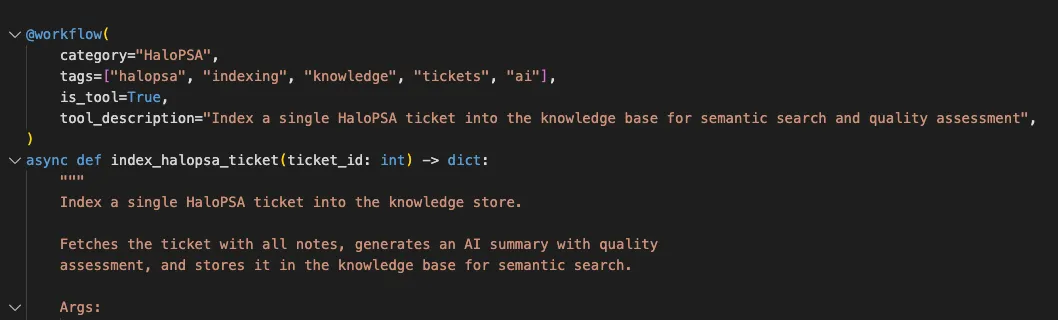
Workflows are just Python functions. Write a function, decorate it with @workflow, and it’s deployable automation. Mark it as is_tool=True and now it’s callable by AI agents or any MCP client.
That’s it. No special syntax. No vendor framework. Just Python that does what you need it to do.
Agents
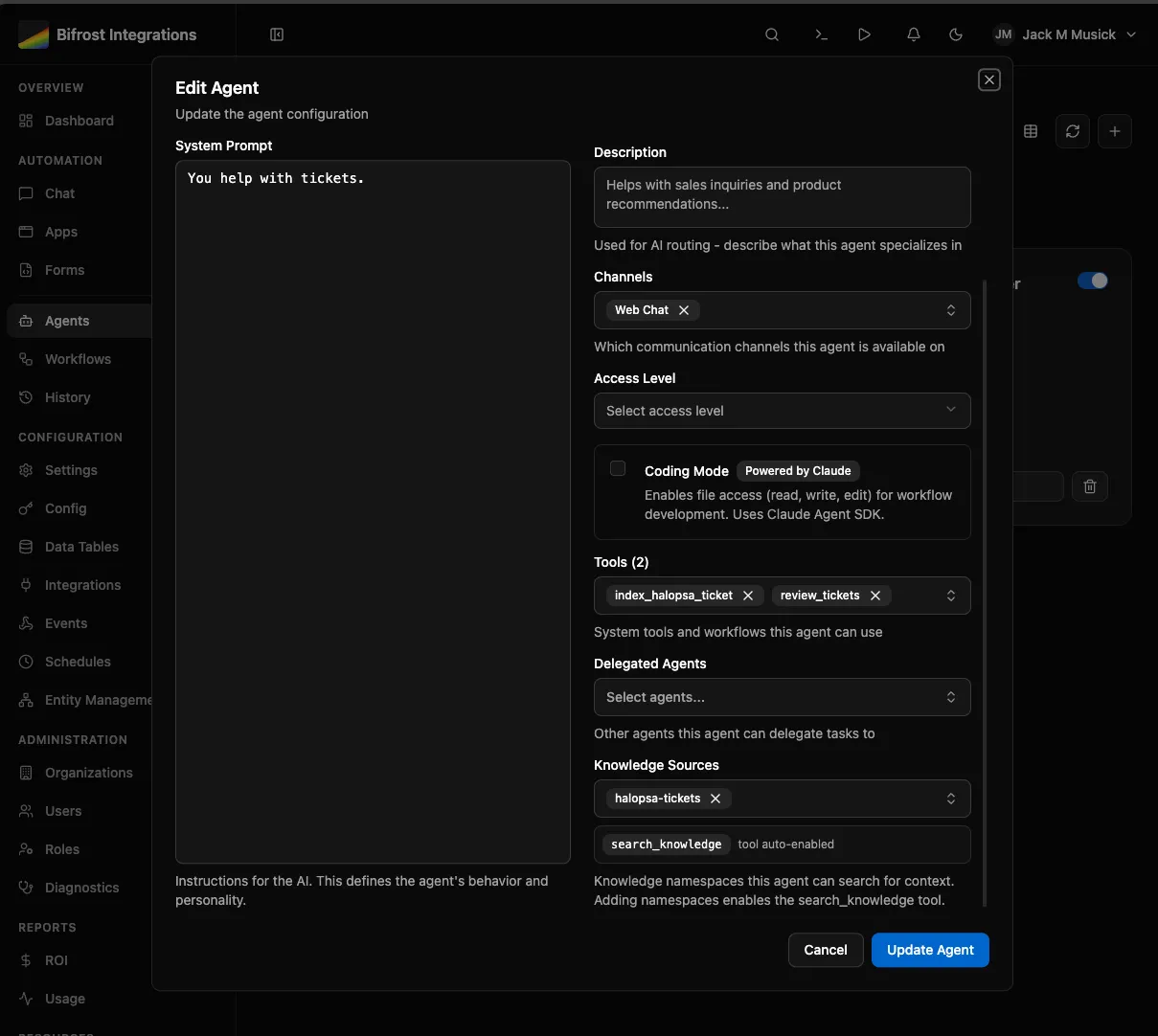
Conversational AI that can execute your workflows as tools. An agent can see your workflows, query your tables, access knowledge bases, and call any workflow you’ve marked as a tool.
Build an onboarding_employee workflow? The agent can execute it as part of a conversation. Multi-step tasks become “figure out what needs to happen and do it.”
Agents can delegate to specialists. Build separate agents for billing, support, onboarding - let a front-door agent route to the right one.
The experimental part: coding mode where agents can generate and deploy new workflows. We’re iterating on this as we move toward an MCP-first approach where you connect Claude Desktop, ChatGPT, Copilot, whatever - and build, test, deploy through the MCP server. Still working out the details, but that’s the direction.
MCP Server
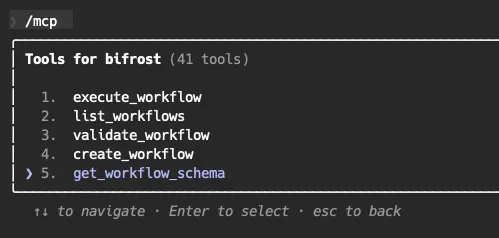
Model Context Protocol is the bigger unlock here. It’s not just for coding - it’s for exposing your workflows as AI tools anywhere.
Build an onboarding_employee workflow in Bifrost. Now you can:
- Expose it in a form for manual submission
- Make it available in an agent chat
- Publish it as an MCP tool that someone can call from Copilot, Claude Desktop, or any other MCP client
Not sticky. Not proprietary. Just a standard protocol for “here’s what this automation does, here’s how to call it.”
Apps
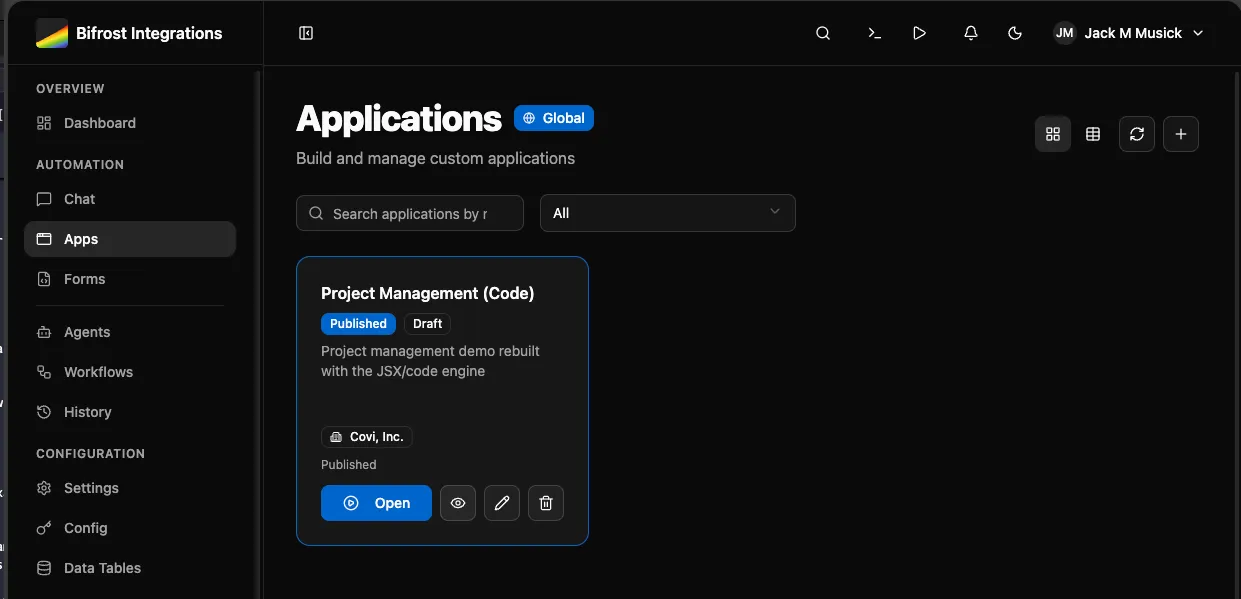
You or your agent (through MCP) writes TypeScript/JSX. It can do exactly what you want without vendor-created limitations. I’m looking at you, Power Apps.
The code is readable. The AI understands it. You can reuse it. Dynamic data binding pulls results from workflow executions. Versioning keeps you safe. Access control by role and org.
This is what replaces the “we need an app for that” conversation without locking you into someone else’s platform.
You can see a short video example further down.
Knowledge SDK
Abstracted vector storage scoped to the caller. Add documents to a knowledge base, and agents or workflows can search them semantically.
Your org’s knowledge base is separate from global knowledge. The scoping works the same way as everything else - org-specific first, fall back to global. Upload your procedures, policies, runbooks, and agents can ground their responses in your actual documentation instead of making things up.
RAG (Retrieval Augmented Generation) without managing vector databases or embedding pipelines. Just add documents and search.
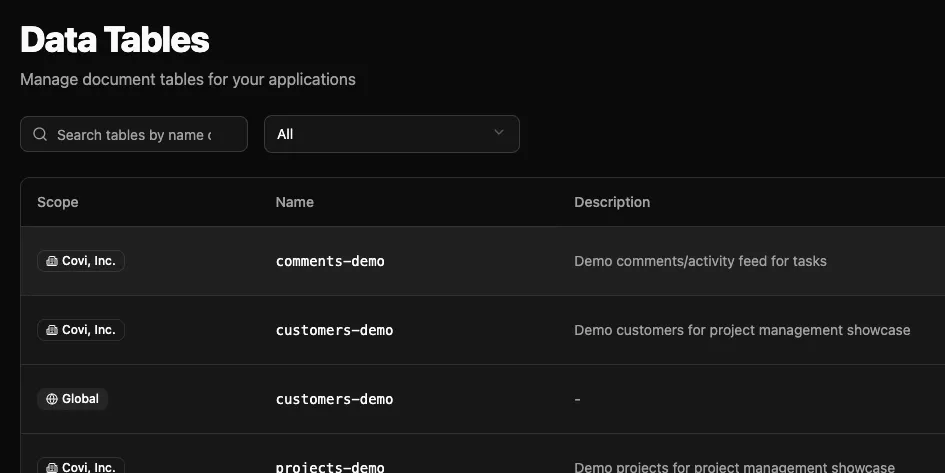
Data Tables
Database tables without leaving the platform. JSON documents, queries, scoped to global/org/app levels. Agents and workflows read and write through MCP. Build data pipelines without external dependencies.
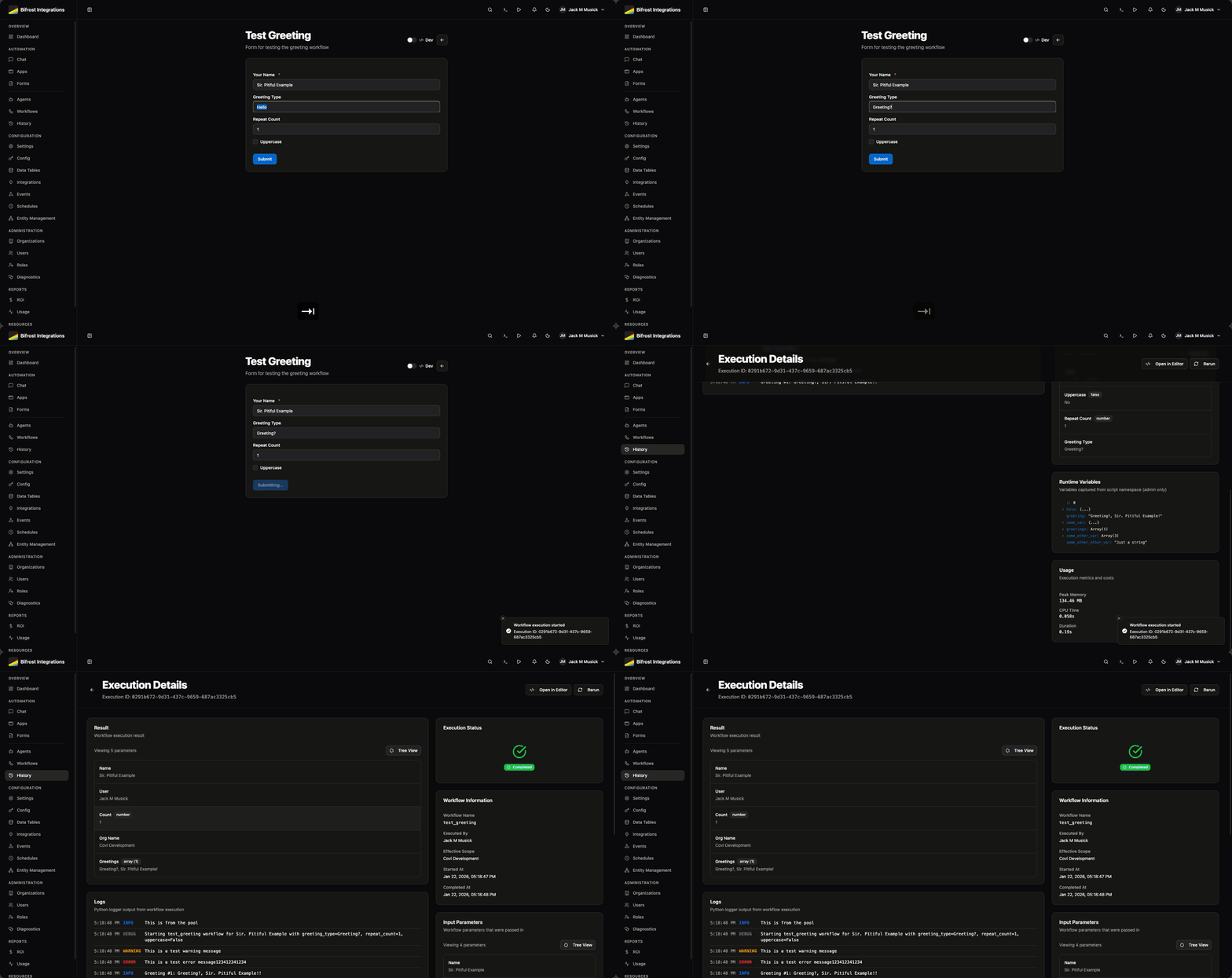
Forms
Dynamic user input connected to workflows. Pre-populate options with startup workflows, handle file uploads, control access. Connect user interfaces to automation without building custom frontends every time.
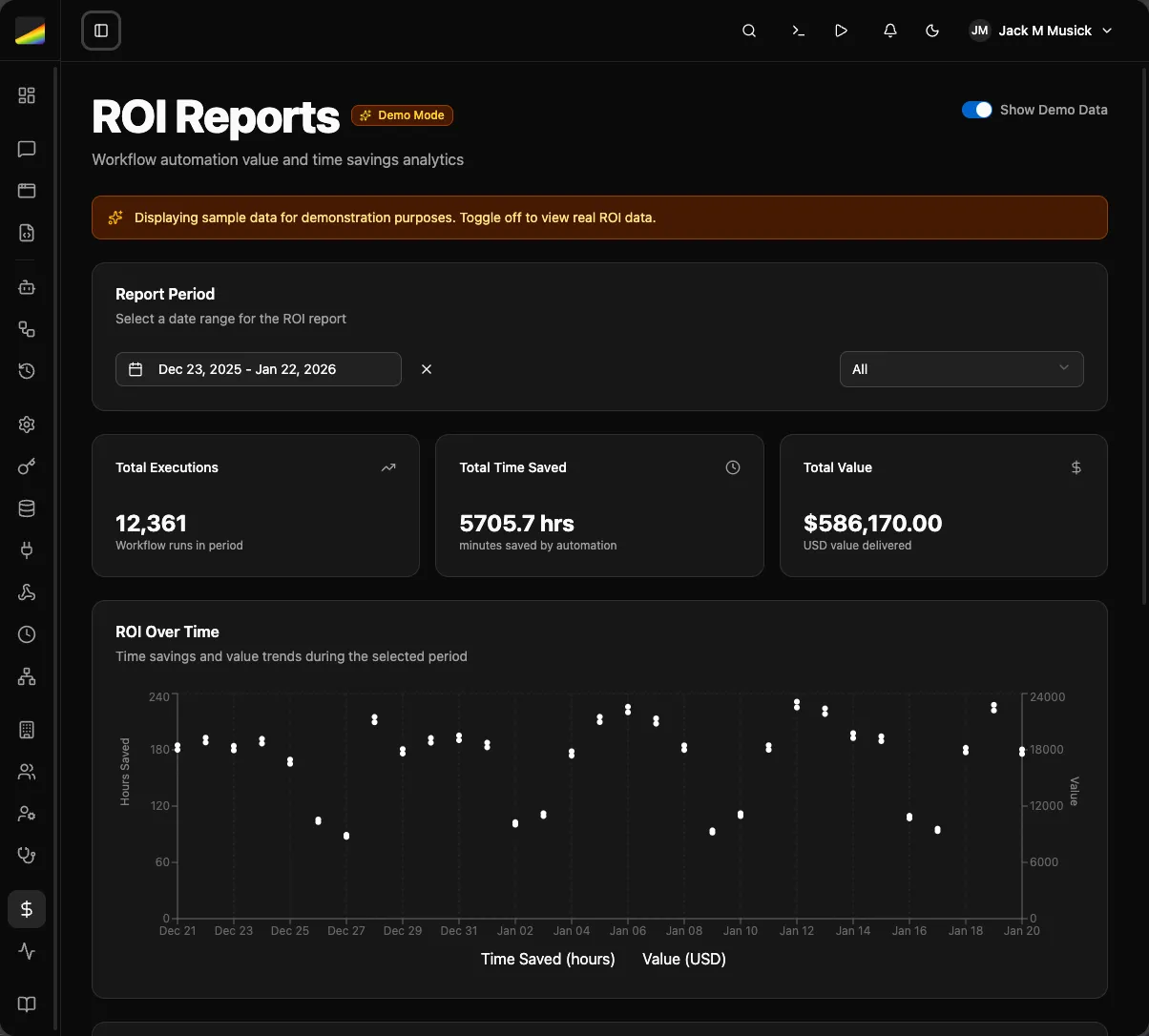
ROI Reports
Track what’s actually working. Executions, time saved, monetary impact by workflow and by org. Prove the value or figure out what to kill.
Closing Thoughts
If you’re wanting to test this, keep in mind it’s very early and experimental. We’re just now starting to port things over internally. Most everything has been tested at a high level. Known issues:
- GitHub syncing works, but I’m not happy with where it’s at yet
- Several UI bugs, error handling
- No performance or reliability testing at scale
- Data schema is close, but I’m not above making breaking changes during alpha if the vibes are off
I cannot stress this enough: I have not tested this at scale. There will be unhandled crashes in the scheduler, worker containers, and probably places I haven’t thought of yet. Part of our internal pilot is figuring out monitoring and seeing how it handles our heavier workflows. Hoping this gets us to beta sooner rather than later.