March Update
Autonomous agents, CLI overhaul, and a lot of plumbing.
Last month I said autonomous agents were next. They shipped, along with a CLI overhaul and a mountain of infrastructure work that I’m going to try to make interesting.
Autonomous Agents
This was the headline item on the roadmap and it’s real now. Agents can be triggered by schedules, webhooks, and the SDK — they don’t need a human in the loop to start working. The system tracks agent runs with full history, so you can see the chain of events an agent followed, what tools it called, and what it decided at each step.
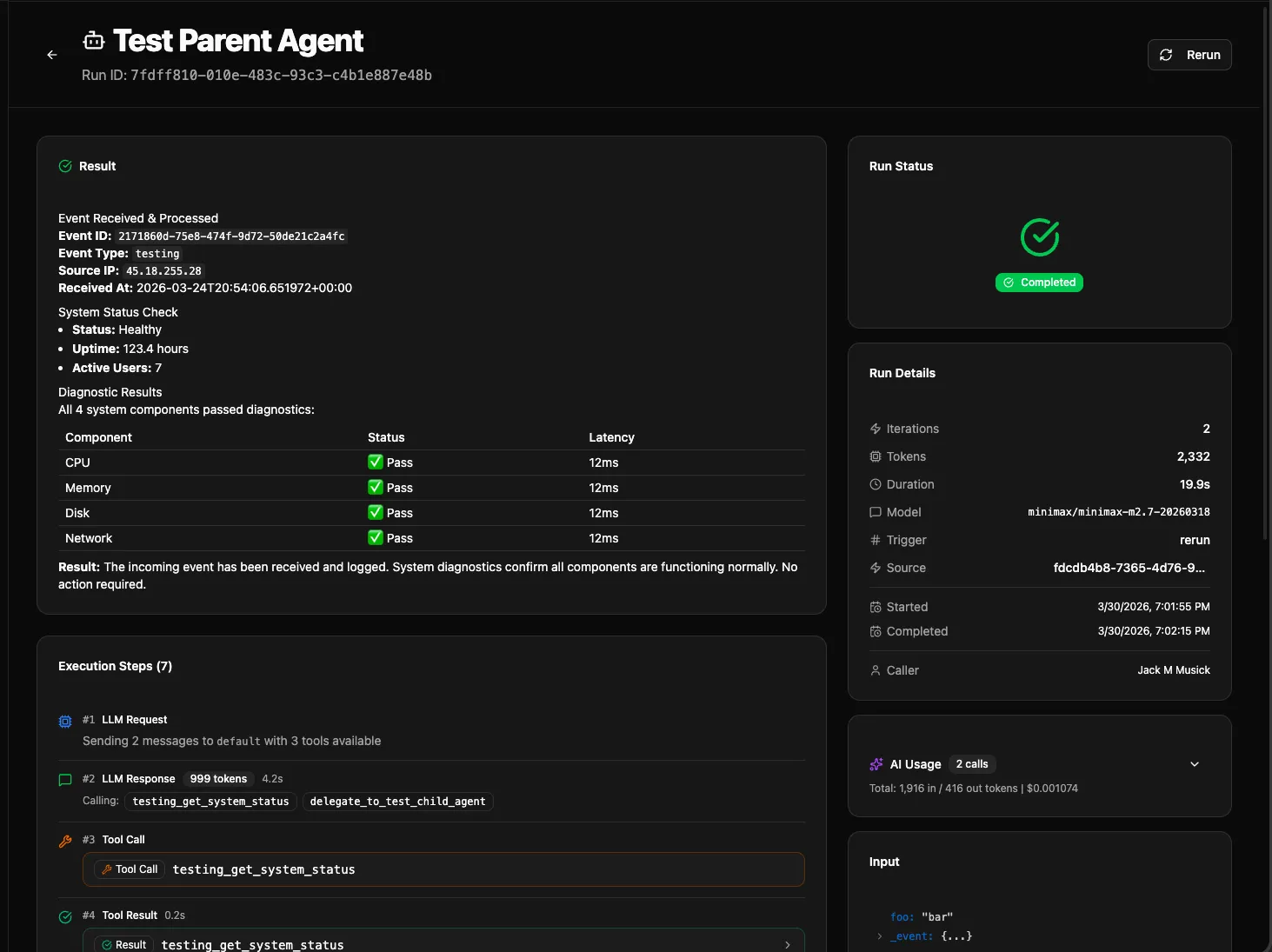
A few specifics worth calling out:
Delegation. Agents can now delegate to other agents. If your triage agent decides something needs a specialist, it hands off the task. There are depth limits and timeouts to prevent runaway chains, and child runs are tracked so you can see the full tree of what happened.
Cancel and Rerun. You can cancel a running agent and rerun a previous execution from the UI. This was one of those things that felt optional until you’re watching an agent burn through tokens on a bad prompt and have no stop button.
Configurable Timeouts and Budgets. Agent manifest entries now support budget fields and timeout configuration. Set a ceiling so a misbehaving agent doesn’t surprise you on the invoice.
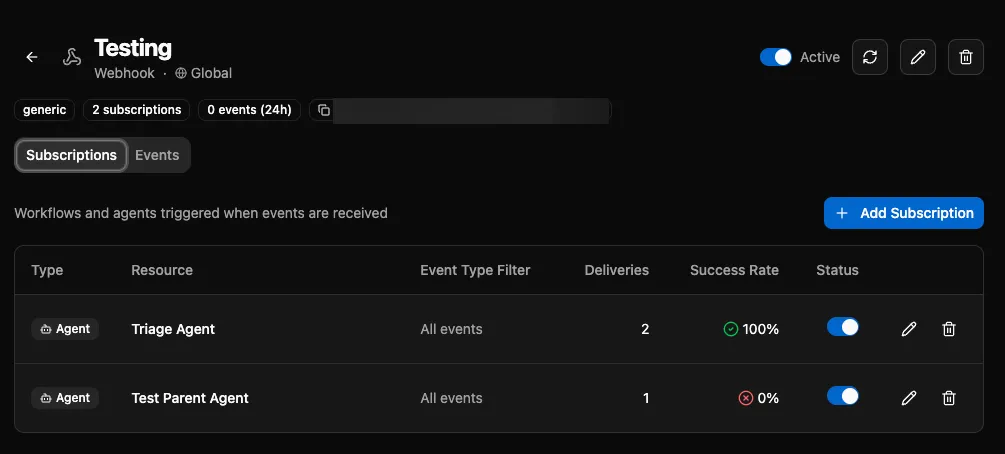
Event Subscriptions. Agents can subscribe to event sources, and subscriptions support agent-targeted routing with input mapping. This means you can wire a webhook directly to an agent with structured input, no workflow glue code needed.
CLI: Realtime Sync
The CLI is sync-first now. Run bifrost watch, open your editor, and code. Changes hit the platform immediately. Multiple developers can run watch at the same time, making live changes to a shared workspace and pulling down each other’s work. It’s the fastest iteration loop we’ve had.
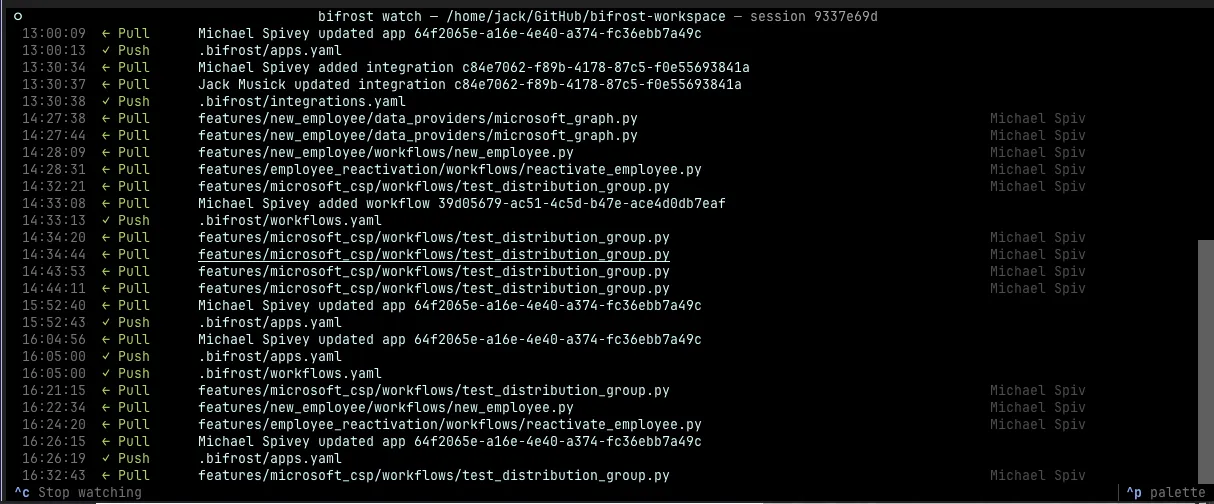
I’m starting to get a feel for when to use watch vs MCP. Watch is better for bigger features where you want the full local toolchain, things like Claude Code that can scan your whole repo. MCP is better for quick fixes or customer work where the built-in guardrails mean you don’t have to think about sync state. I go back and forth between both.
There’s a bifrost git subcommand set too, for GitHub Desktop-style operations from the terminal with delete confirmation, streaming progress, and inline conflict resolution. I’m still figuring out how git fits alongside watch though. In traditional git you’d open a PR, get a review, merge to main, and that’s the right workflow for a lot of reasons. But watch mode lets you solve a customer problem right now, and I think that kind of responsiveness is going to become the expectation. I haven’t figured out how to have both yet.
Textual TUI. The hand-rolled terminal rendering is gone, replaced with proper Textual apps. The watch TUI, sync progress, and interactive file selection all use it now. Actually works when your terminal is a weird size. The file selection is especially helpful when you’re syncing changes so you can decide what to push, pull or delete (preset recommendations).
Incremental Manifest Import. Pushing changes diffs your manifest against what’s on the server and skips unchanged entities. On a workspace with a lot of workflows this cut import time significantly. Reads directly from S3 now too, no more temp directories.
Performance: Postgres Connection Management
We’re actively scaling out worker nodes, and the old pattern of holding long-lived database sessions was a bottleneck. Every major subsystem — agent executor, workflow consumer, scheduler, docs indexer — now uses short-lived sessions with a Redis-first caching layer. This keeps connection pool usage predictable under load instead of exhausting connections as concurrency increases.
Execution Context and CLI Parity
Execution context — who triggered a run, from where, with what parameters — now persists to the database and is visible in the execution sidebar and API. But the bigger deal is that the CLI now has feature parity with the platform for execution context. You can pass --org to bifrost run to execute workflows against a specific customer organization, which makes testing org-scoped logic locally straightforward instead of requiring you to impersonate through the UI. Things like this come up as I start stressing this in production. The reality is if you’re developing for anybody but yourself, the skill and platform need to fully understand multi-tenancy, and this is a huge part of that.
Other Improvements
Webhook HMAC Auth. Event sources now support HMAC signature verification, with configuration tooltips in the UI.
Provider Pricing Auto-Sync. If you’re using OpenRouter (which I’d recommend — it gives you access to a wide range of models so you can customize agents for price efficiency), pricing now syncs automatically. This means your usage reports always reflect current costs without manual updates. There’s also an org-scoped provider override if you have negotiated rates.
Windows Compatibility. CRLF line endings in bifrost sync were causing hash mismatches that made the system think every file had changed. Fixed with normalization. The recommended workflow is still to use WSL2, but this was a problem if you were accessing the Windows file system (like if you’re using GitHub Desktop). Even though this is fixed, I’d recommend using git inside WSL2 especially if you’re using bifrost watch as it’s the only way the file notifications will work. Alternatively, you’re welcome to test straight within Windows and open up a pull request for any issues that come up! I don’t want Windows to be a second class citizen, but there are bound to be edge cases I haven’t thought of.
Tool Schema Fixes. Added additionalProperties constraints to tool schemas for LLM compatibility. Some providers are strict about this and were rejecting tools that didn’t explicitly declare it. This isn’t a perfect fix for enforcing agent input unfortunately, but it helps.
Deduplicated Tool Call IDs. Some LLM providers reuse tool_call IDs across turns, which was breaking our tracking. Now we handle it. This was discovered as I was trying to use a cheaper provider for our Triage agent. I can’t promise I’ll fix every nuance with every provider, but this shouldn’t be a finite list of issues if they’re OpenAI or Anthropic compatible.
Requirements Install in Heartbeat. Workers now report whether their dependency install succeeded in their heartbeat, with an S3 fallback for the requirements cache. No more guessing if a worker is healthy but running stale dependencies. You can also view if each process pool has all of your requirements installed in the Diagnostics page.
Community Workspace
The built-in Platform Agent has been removed as a system agent. In its place, there’s a new community workspace repo: jackmusick/bifrost-workspace-community. The idea is that instead of shipping a one-size-fits-all system agent, the community has a place to share modules, workflows, agents, and apps that people can port into their own workspaces.
Here’s what’s already in there:
Features:
- HaloPSA Report Agent — an AI agent that generates HaloPSA SQL reports from natural language, learns from its mistakes, and saves schema patterns to knowledge for next time
- Microsoft CSP App — an app for managing CSP tenants, GDAP relationships, consent, and batch operations
- AutoElevate Integration — an agent that autonomously reviews privilege elevation requests against your approval policy.
Integration Modules: Ready-to-use API wrappers for HaloPSA, NinjaOne, Huntress, IT Glue, Pax8, Cove Data Protection, ImmyBot, SendGrid, Autotask, CIPP, ConnectSecure, Datto (RMM, Networking, SaaS Protection), DNSFilter, idemeum, KeeperMSP, Meraki, Quoter, TD SYNNEX, VIPRE, and the full Microsoft stack (Graph, CSP, GDAP, Exchange).
Each integration comes with a sync workflow and data provider, so you can map external entities to Bifrost organizations out of the box. The repo isn’t meant to be forked and run directly — it’s a reference. The recommended approach is to use Claude Code with the bifrost:build skill to port the pieces you need, adapting them to your environment. This should save substantial time in developing common MSP workflows.
The bifrost-build skill also now includes guidance for cloning community workspaces to get started. Documentation got some fixes too — scope parameter docs were wrong (None vs "global"), and the bifrost watch docs now clarify that new entities need manifest entries.
What’s Next
The focus is shifting toward stability and real-world usage patterns. We’re running more things internally and the rough edges are becoming obvious — error handling in the UI is still too raw, and there are bound to be more performance issues. I’m personally running this in K8s in Digital Ocean right now to stress test how well horizontal scaling works, graceful container recycling during updates, etc. It’s going well, but it’s not yet mature and battle tested. The autonomous agent system in particular needs more mileage, but it’s quickly becoming my preferred way to write automation that has even a bit of nuance that’s difficult to catch every edge-case for in a deterministic automation.
If you’re using Bifrost or thinking about it, now’s a good time to jump in. The platform is materially more capable than it was a month ago, and the CLI experience is finally where I wanted it. We’ve ported Customer Onboarding and Offboarding from our previous platform (hopefully someday I can generalize this for the community repo), and plan for a hard cutover tomorrow.