
Chat artifacts
Create, return, and manage durable files from Chat and workflows.
Chat artifacts are durable files. A workflow or assistant creates one, Bifrost stores it, and Chat keeps the authorized reference attached to the conversation instead of copying bytes into the transcript.
What counts as an artifact
Section titled “What counts as an artifact”Bifrost supports the built-in file types used by Chat and workflow tools:
- PDF and DOCX documents
- XLSX workbooks
- CSV, HTML, Markdown, JSON, and plain text
- Images
- Videos
Images and documents return as soon as the platform has the file. Video generation runs as a durable platform job; the SDK waits for completion and returns the same artifact reference, while the platform keeps progress durable if the original request disconnects.
Return an artifact from a tool
Section titled “Return an artifact from a tool”-
Use the SDK helper that matches the file type you need.
-
Return the
ArtifactRefthe helper gives you. -
Let Chat attach that reference to the message.
from bifrost import artifacts, tool

@toolasync def create_customer_brief(customer: str):    return await artifacts.create_document(        f"{customer}-brief.pdf",        format="pdf",        title=f"{customer} brief",        sections=[            {                "heading": "Decision",                "paragraphs": ["Proceed with the proposed rollout."],            }        ],    )
The public reference is opaque. It does not expose a storage key, path, or signed URL.
Read an artifact in a later step
Section titled “Read an artifact in a later step”-
Accept the artifact as an input object.
-
Validate it with
ArtifactRef.model_validate(...). -
Read the bytes with
artifacts.read(...)and work from those bytes only.
from bifrost import ArtifactRef, artifacts, tool

@toolasync def inspect_artifact(artifact: dict) -> dict:    ref = ArtifactRef.model_validate(artifact)    data = await artifacts.read(ref)    return {"size": len(data)}
Manage Chat files
Section titled “Manage Chat files”Chat uploads and generated artifacts share the same workspace model. In the UI, users can upload files to a conversation and reopen generated files later from the message or library view.
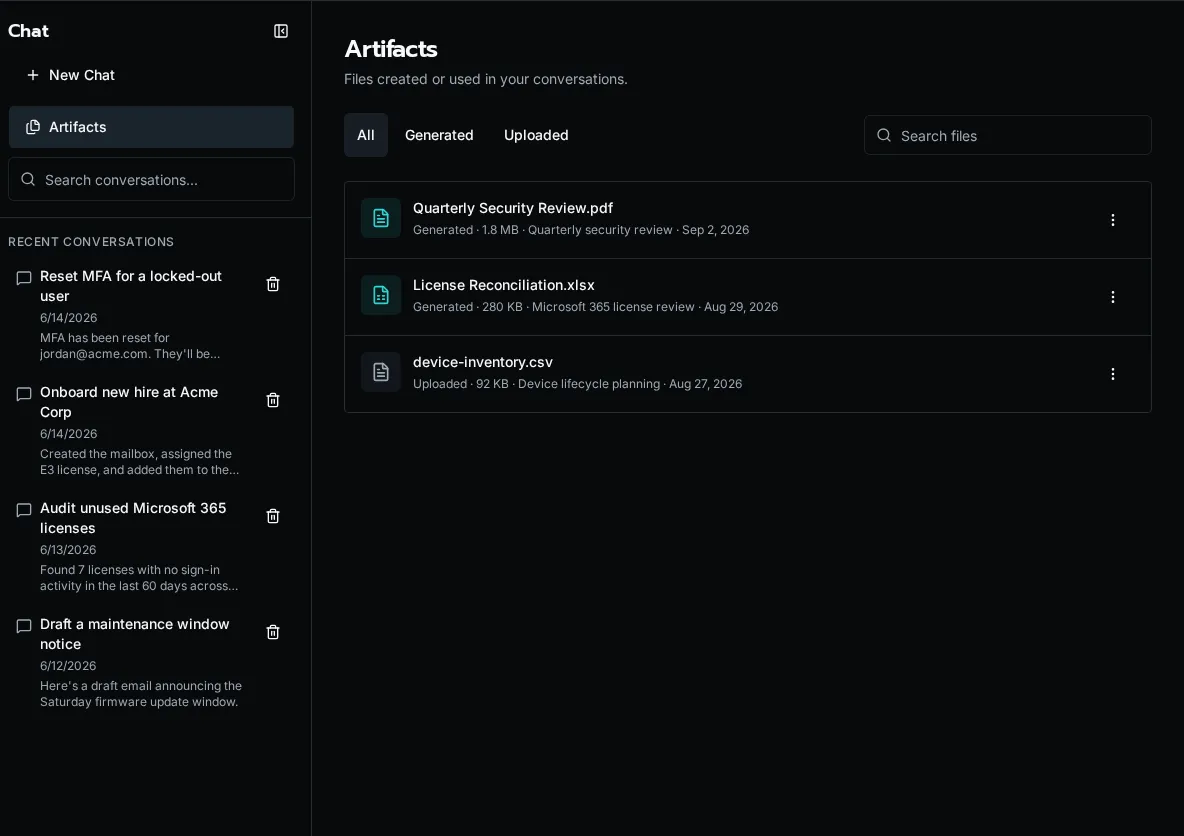
Use the Chat API when you need to manage files directly:
POST /api/chat/conversations/{conversation_id}/attachmentsuploads conversation filesGET /api/chat/artifactslists the current user’s Chat filesPATCH /api/chat/artifacts/{attachment_id}renames a Chat fileDELETE /api/chat/artifacts/{attachment_id}deletes a Chat file