
Set Up a Solution's Connections
Satisfy a solution's declared integration and config needs after install using the README, the Setup Required signal, and the Setup wizard.
Read the solution’s README first
Section titled “Read the solution’s README first”The README tab is the install page’s first tab. It carries the solution author’s setup notes — which integrations to connect, what each config value is for, and any one-time steps.
-
Open the install from Solutions and stay on the README tab.
-
Follow the author’s instructions before opening the Setup wizard.
Check the Setup Required signal
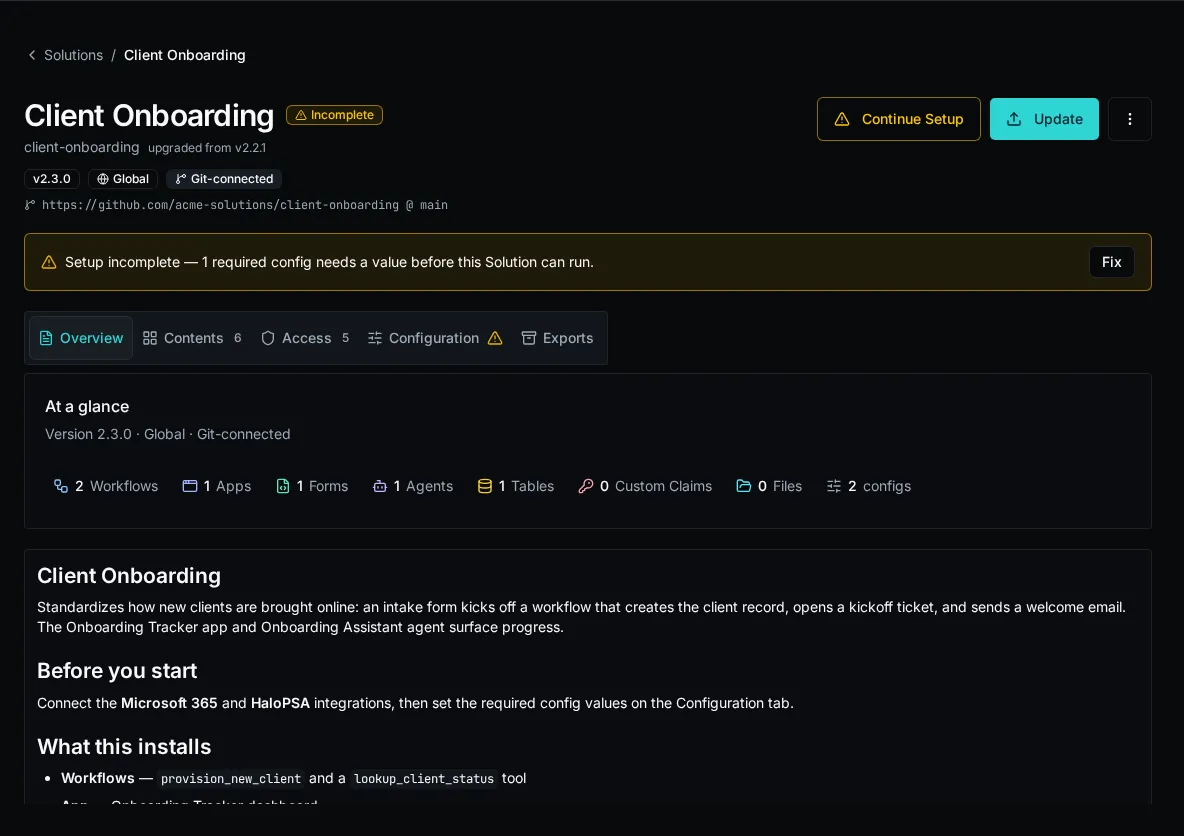
Section titled “Check the Setup Required signal”An install shows a Setup Required indicator whenever a required config value is unset, a declared integration does not yet exist, or a protected workflow endpoint does not have a generated key. The install still completes — unmet setup needs are flagged, not blocking.
-
Open the install. A Setup Required warning and a Continue Setup button appear when anything is unmet.
-
Click Continue Setup to launch the Setup wizard.
Satisfy needs in the Setup wizard
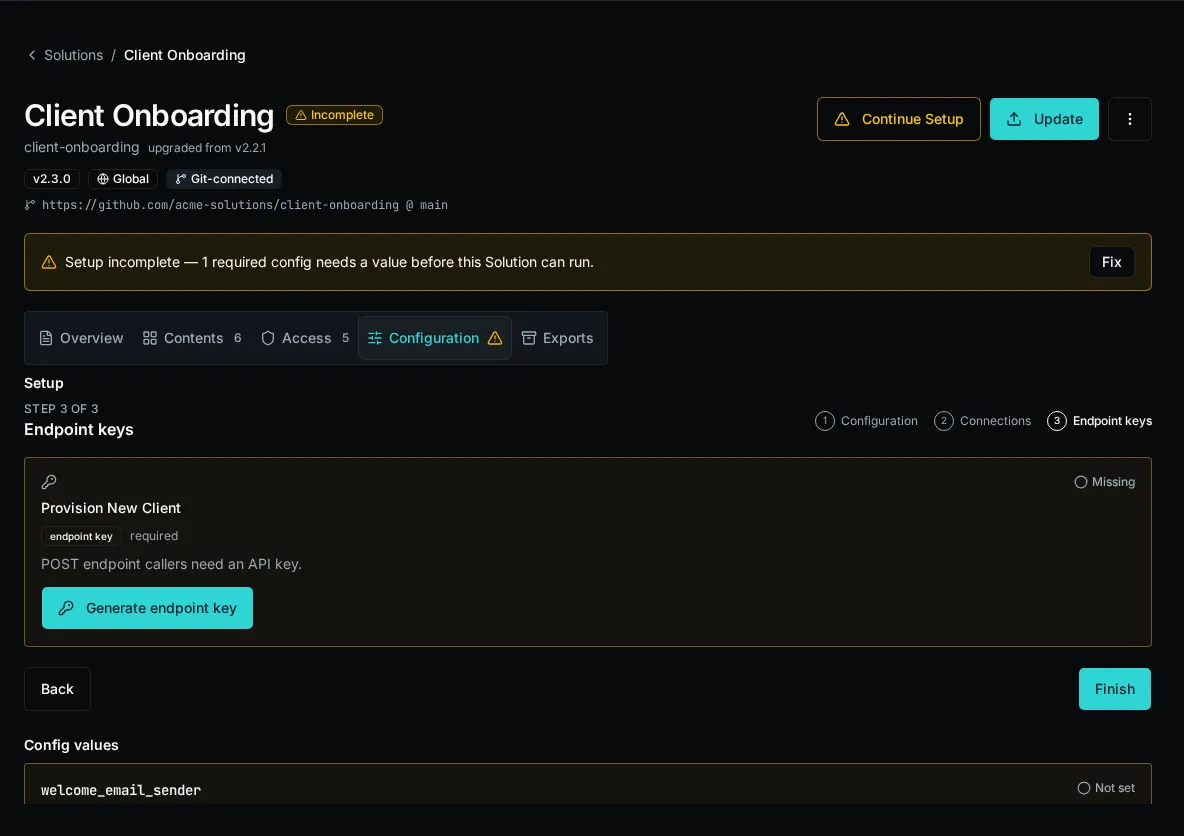
Section titled “Satisfy needs in the Setup wizard”The wizard lists every declared requirement paired with whether it is satisfied. Three kinds appear:
- Config — a config value the solution reads. Required configs gate completion.
- Connection — an integration the solution calls via
integrations.get("..."). The need is satisfied once an integration with that name exists. - Endpoint key — an API key generated for a non-public workflow endpoint. Public endpoints do not require one.
-
Open the wizard from Continue Setup. Each unmet item is shown with its key, type, and the author’s description.
-
For each unset config item, enter the value. Required items are marked; setup is not complete until every required config is set.
-
For each connection item, create or connect the named integration in Settings → Integrations, then return to the wizard — the item flips to satisfied once the integration exists.
-
Generate a key for each protected workflow endpoint. Store the displayed secret immediately; it is shown only once.
-
When every required config is set, every declared integration exists, and every protected endpoint has a key, the wizard reports setup complete and the Setup Required signal clears.
Updating connections later
Section titled “Updating connections later”Solution-managed entities are read-only in the target environment. Config values, integration connections, and generated endpoint keys are install-owned and can be maintained through the Setup wizard and Settings → Integrations. Their declarations change only when the author re-deploys or the install auto-pulls a new version.